2025–2026
01ZIA Lens
A mobile app for capturing supermarket shelves
Product design lead at Neurolabs
- 0→1 product
- Mobile UX
- User research
- Systems thinking
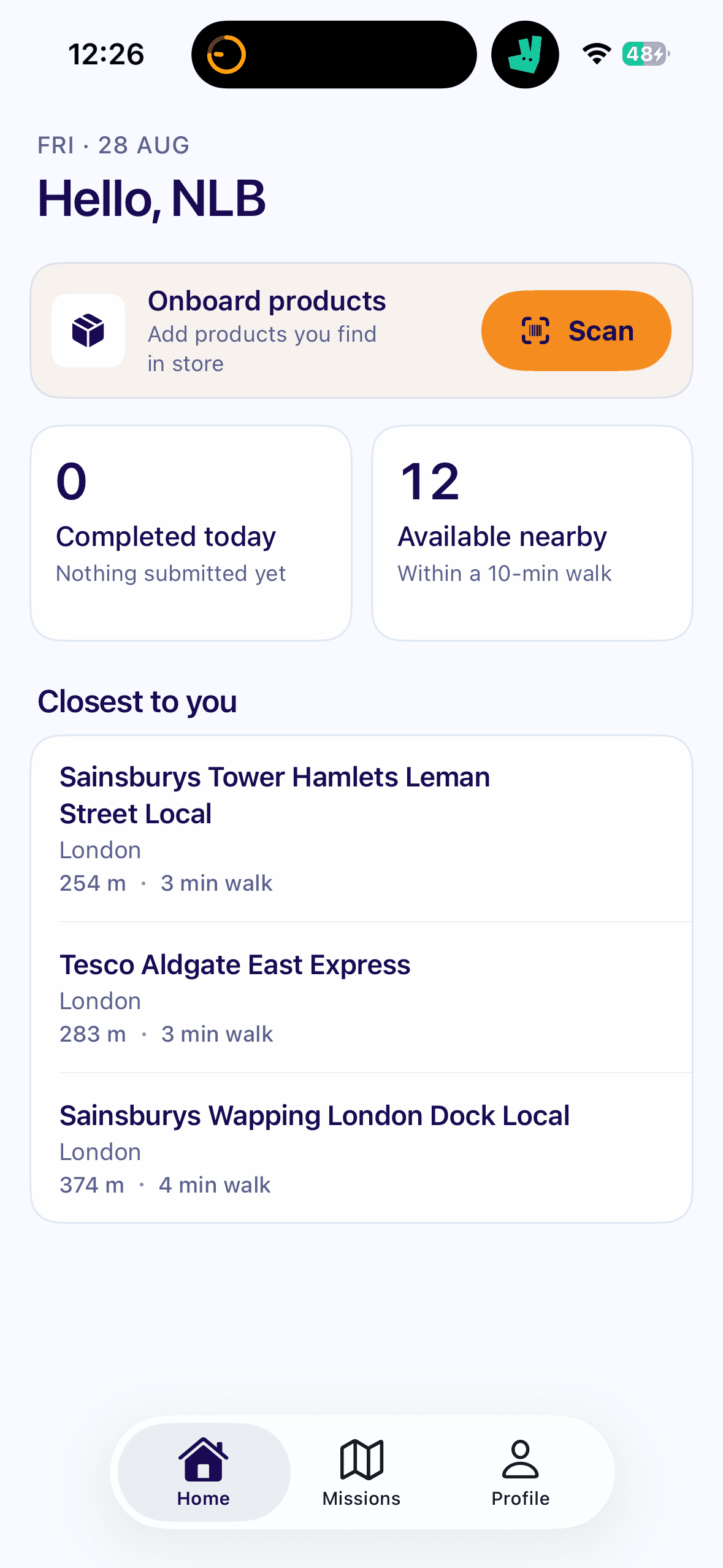
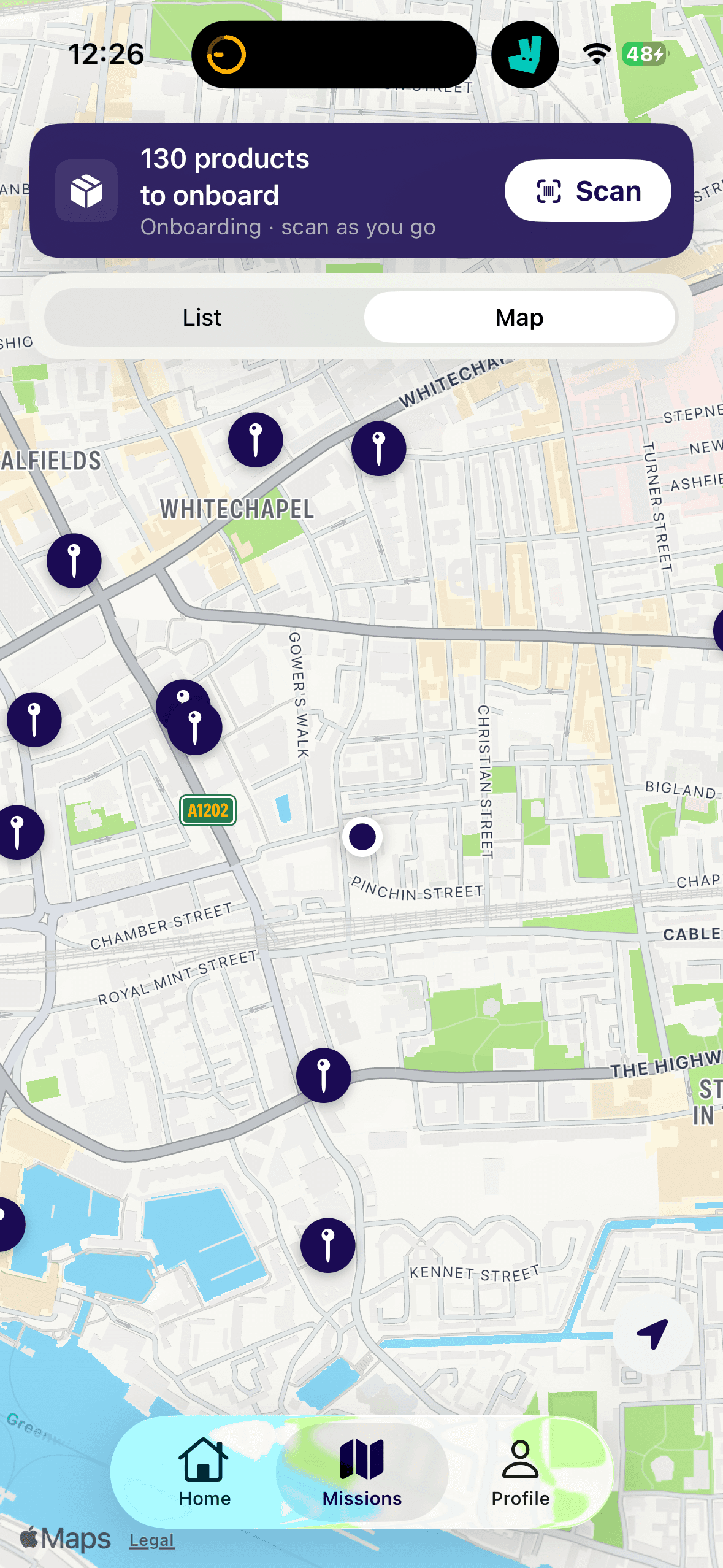
The problem
We’re an image recognition service that helps consumer packaged goods brands see how their products are doing on supermarket shelves. Our main product is an API, but before a client sees any value, their engineers have to integrate it, which takes months.
Field reps work for the brand or for a contractor, restocking and organising shelves, and they’re measured on how many stores they visit. So they’re always moving from store to store. Usually they fill in questionnaires by hand: how many of each product, any gaps, the prices. That takes minutes per store, and there’s barely any internet in store.
My part was the capture side: getting reliable shelf data out of stores, fast, without the client having to build anything. In a pilot with a dairy brand in Mexico, their team was capturing data four days after getting the app, instead of waiting 6 to 8 weeks for an integration.
Every capture needs a what, a where and a who
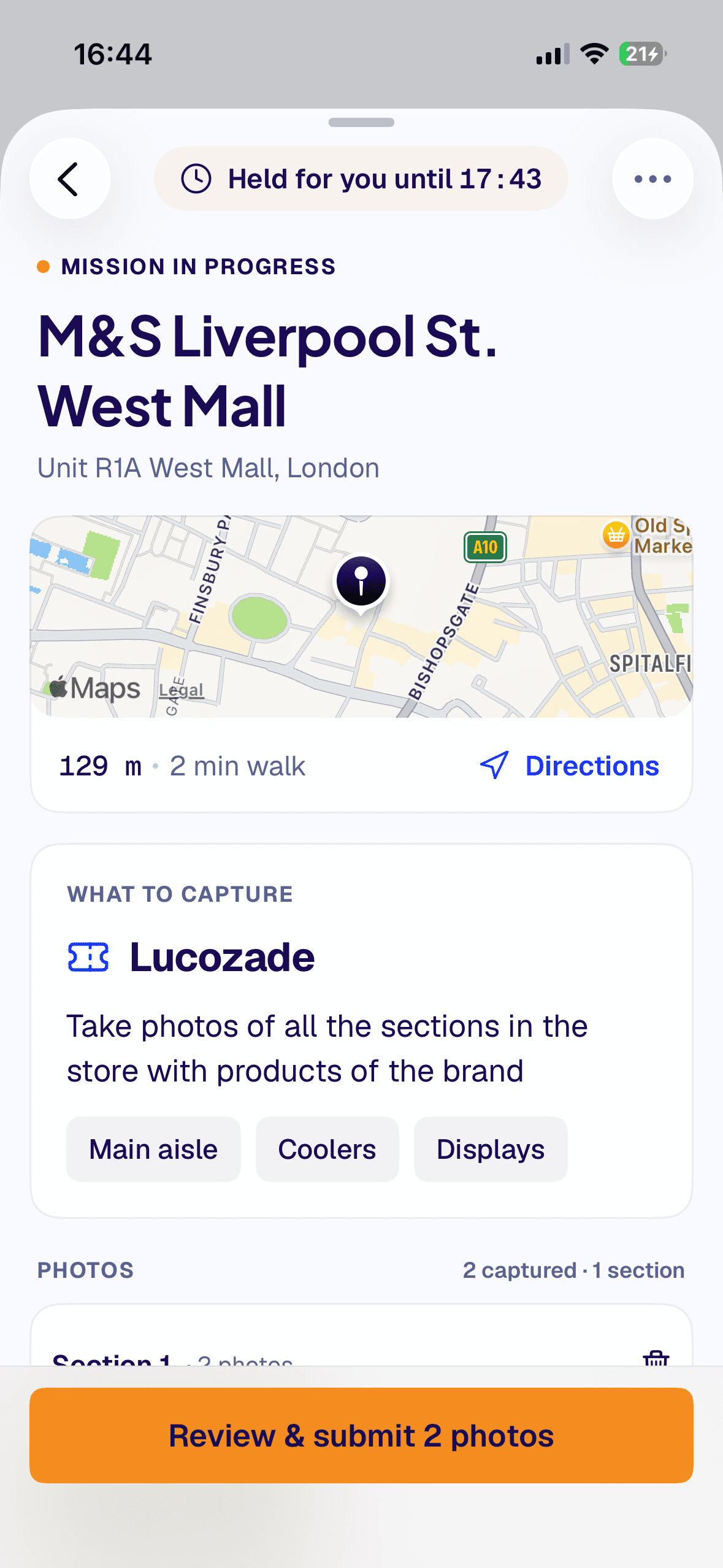
A shelf photo on its own isn’t enough. To act on it, you need to know what it was for, where it was taken and who took it. I talked to one of our consultants, who had worked at companies building field apps for CPG brands, and to clients who had built their own tools on top of our technology. I synthesised what they told me into what a capture needs, and that became a mission:
When
Who
Where
What
- When
- when it should be done, and when it was
- Who
- the rep capturing it
- Where
- the outlet, not only supermarkets
- What
- the task, e.g. the milk shelf
Our engineer built it as a new layer with its own API, separate from our core API, so the experiments couldn’t put our clients’ data at risk.
Mapping everything outside the app
We prototyped ZIA Lens in a day in August 2025 and first demoed it to a client in January 2026. When we came back to build it properly in summer 2026, I mapped the journey from a client saying yes to them getting data every day, and listed every piece it needed. Of 34 pieces, 9 worked, 7 were done by hand, 4 were partial, 1 could wait for a later version, and 13 didn’t exist yet. 9 of those 13 needed something outside the app, in our operations tools, our camera SDK (the camera module our mobile developer builds), image recognition or the backend.
I didn’t try to fix everything. Things that happen once per client, like setting up their organisation or loading their catalogue, stayed manual. We focused on what blocked reps in the store. That map became the plan for what to build first.
Client shares brief and data
None missing
We set up the account
2 missing
Reps get the app
2 missing
Reps capture in store
9 missing
Client gets daily data
None missing
- Worked
- Manual
- Partial
- Later
- Didn’t exist
Designing for the supermarket aisle
Guiding reps to capture shelves. Our image recognition needs a sharp, straight photo of the supermarket bay, and reps are in a hurry. Our camera SDK checks every frame for quality, so the question was how much to tell the rep, and when. I went through many variations to get there.
The first only checked that it could see products and that the phone was upright. The border turned yellow to warn and red to block the capture, with a message like “point at a shelf” or “rotate your phone”. It stopped bad photos, but it couldn’t tell reps where to point.
Then we had a model that detected shelf rows and gaps, so I tried using it to guide the camera to a specific part of the shelf. This was promising: we knew more about the shelf, and I could see ways to use it to give reps more targeted guidance.
Next I let reps lock the bay they were capturing, so the app could say “centre the shelf”, “get closer” or “move to the next bay”, with two circles to line up. This used the rows and gaps model from the previous experiment, but shelves and bays come in so many shapes and sizes around the world that it was unreliable, and the frame kept jumping around. So I scrapped it.
Point at a shelf
Shelf rows and gaps
Lock the bay
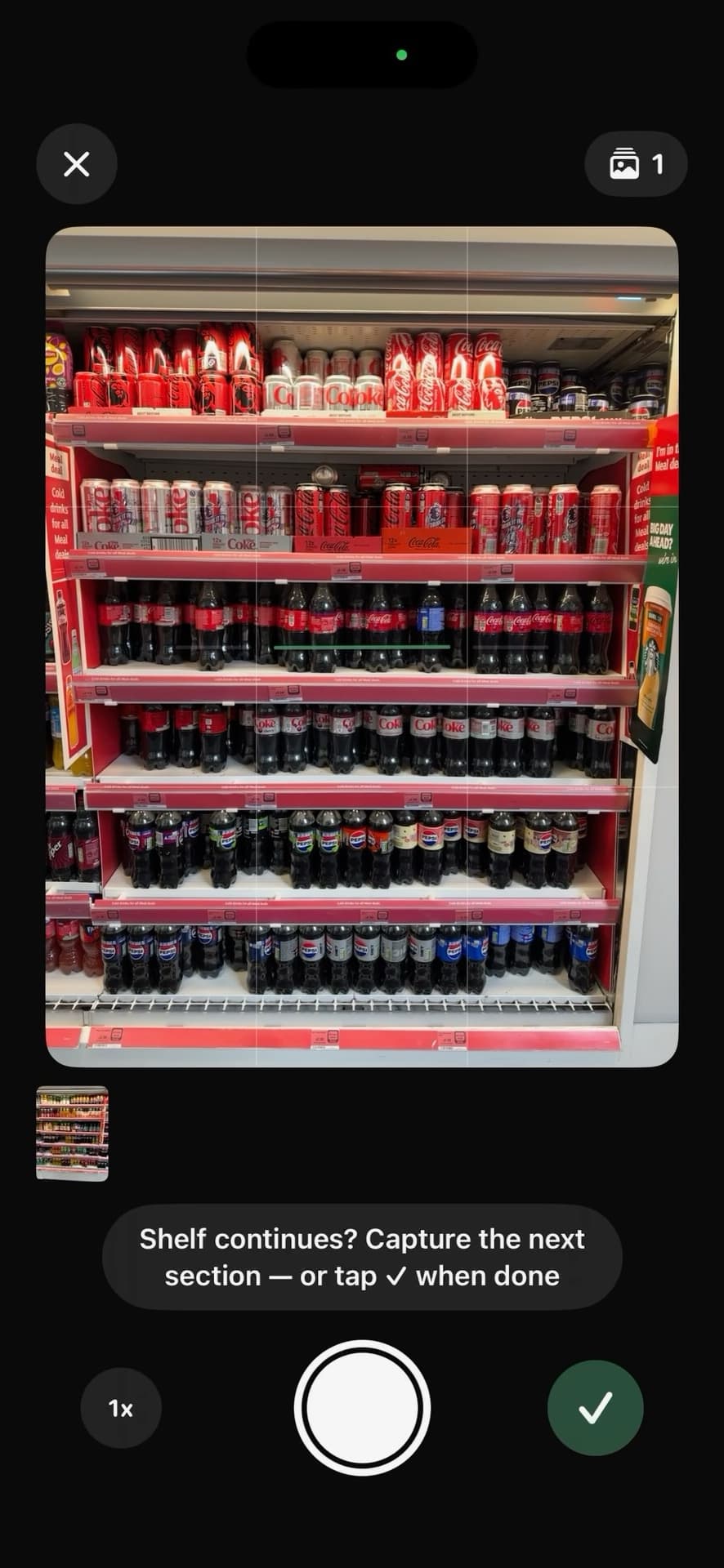
The version we shipped does more and shows less. It tells you if it can see a shelf and if the whole shelf is in frame, and switches to the wide lens when it needs to. We used to warn reps when it was too dark or too bright, but they couldn’t do anything about it, so the camera adjusts the brightness itself and turns on the flash when it’s too dark. We also ask reps to hold steady, but we don’t stop them. The open problem is guiding someone along a long shelf while keeping the photos good enough for image recognition.
The shipped camera, capturing a shelf in sections
Never lose a capture. Signal in stores is unreliable, so a capture can’t depend on it. Photos are saved on the phone first, and when the rep submits, the app tries to upload them straight away. If the signal is bad or there’s none, it queues them until there’s a better connection. iOS also stops uploads if the rep closes the app completely, so pending photos stay on the phone, in a queue the rep can see and upload from with one tap. A photo is only deleted once our API confirms it arrived, and the app tells the rep what’s happening throughout, so they can move on to the next store. Not a single capture was lost in the pilot.
With signal, it uploads straight away
Without, it waits on the phone
What the first users changed
In usability testing, my mission screen had a single button to capture any shelf. Reps didn’t understand what exactly they needed to capture, which shelves or how many. So I turned it into a checklist of places in the store to visit.
Once it was with users, I gathered feedback from people across the team, and the same thing kept coming up: our internal language confused people. I reworked the screens with our marketing team, using terms closer to the user, like “film this product” instead of “onboarding products”, and cutting how much each screen showed, so the main action always stands out.
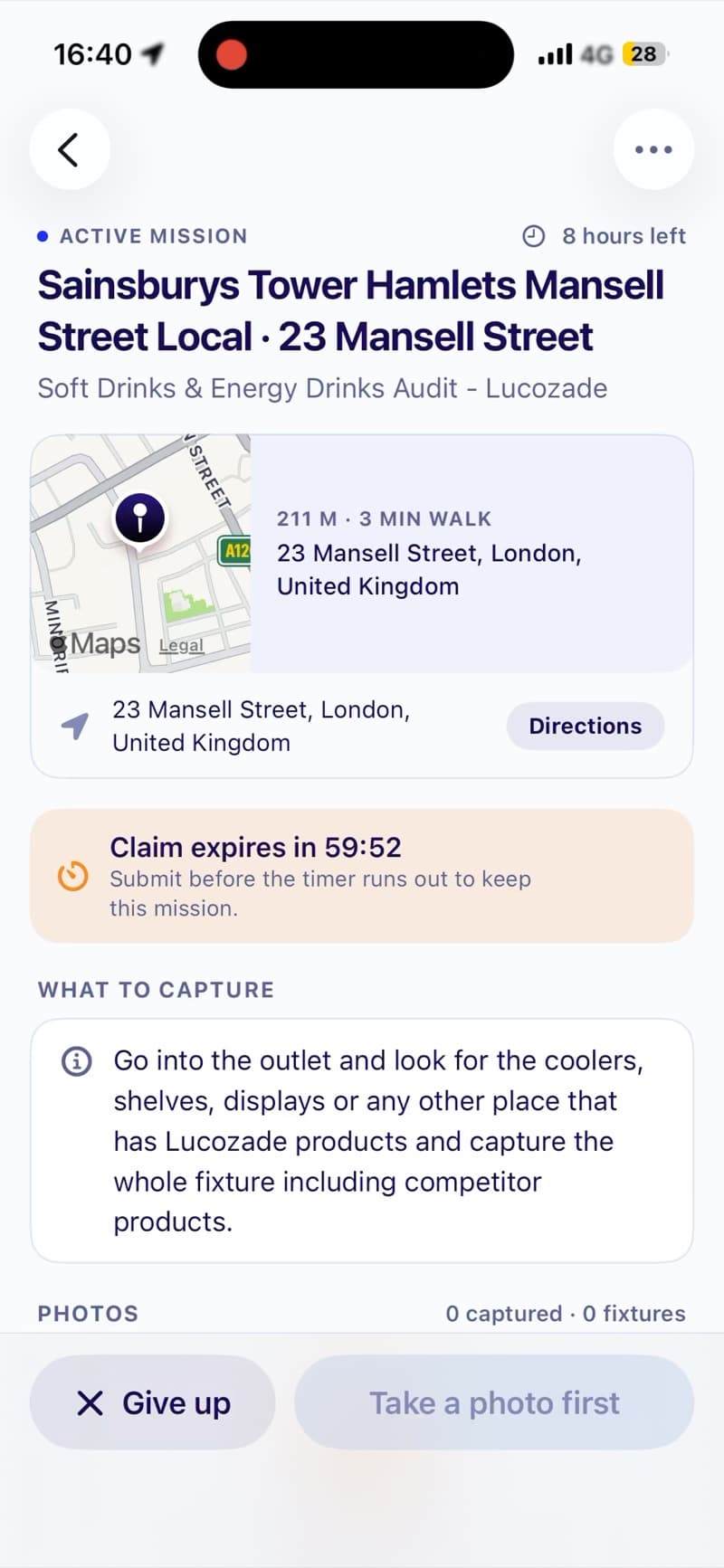
Before
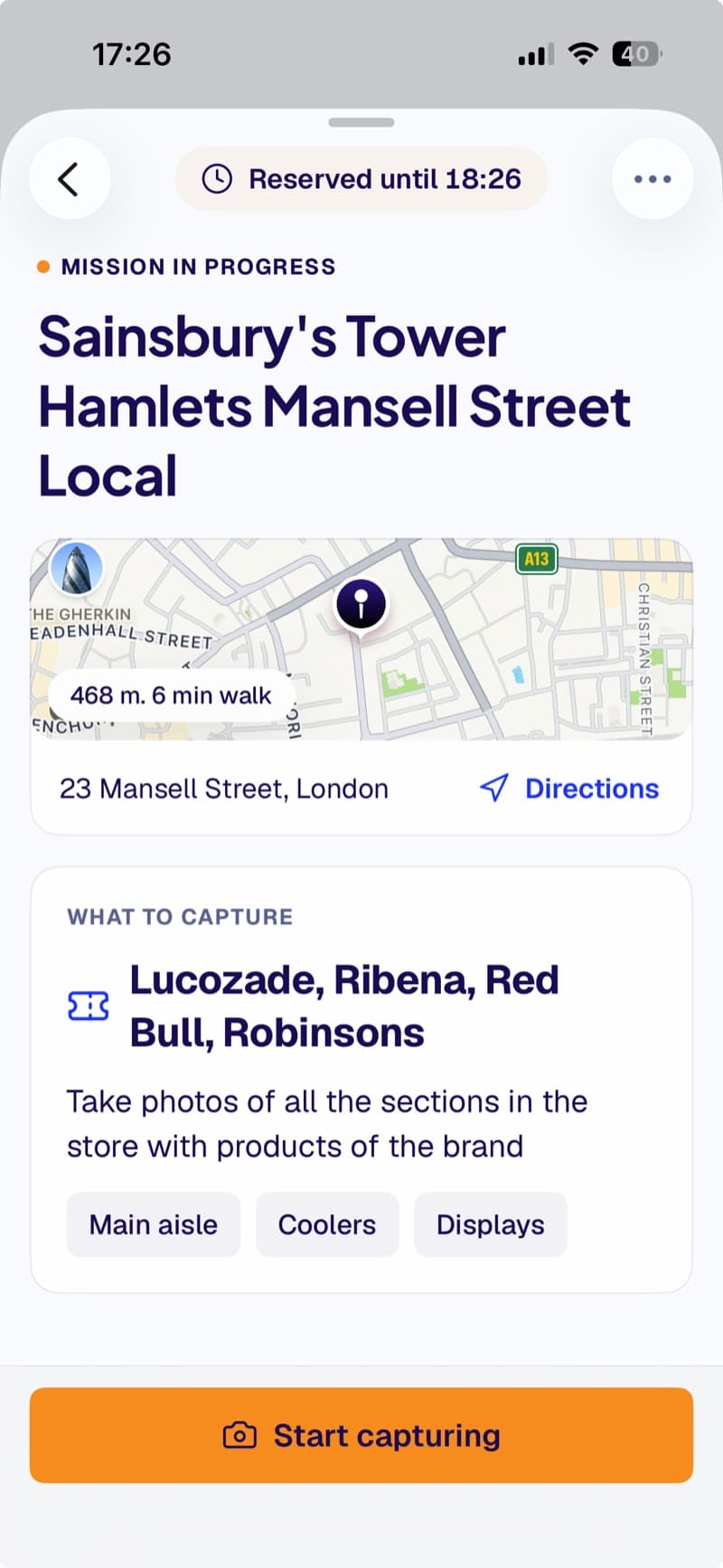
After
Building it myself, then handing it over
We had a time-critical delivery, and we were still working out what to build. Onboarding an iOS contractor while our plans kept changing wasn’t working, so it was faster for me to build v1 myself, in July and August 2026, with our QA engineer testing it.
I know my limits. I’m a designer who codes, still learning proper engineering practice. So I brought in a senior iOS consultant and asked her specifically about the problems we’d had with ZIA Capture, our first app: battery use, storing data on the phone, uploads and retries. Once the app was with users, an iOS contractor took it up to production standard, building on my designs and decisions, so I could focus on the experience.
Capturing data in four days, not 6 to 8 weeks
When we first talked to the client, a dairy brand in Mexico, they said their engineers would need 6 to 8 weeks to integrate our API. We gave them the app on 4 September 2026, and their team was capturing in stores on the 8th. Nobody types anything: they take the photo and get on with their job, and we read the counts, gaps and prices from the shelf.
The pilot was with their shopper experience team rather than their field reps.
In the first three weeks, 10 of their users captured more than 200 images across stores in Mexico City.
From there, we kept improving the app from their feedback, while another engineer and our sales team turned the data into the dashboards they see.
What I learned
The most important thing I learned is to be very clear about the job of each screen, and to respect people’s time. This app should be seamless from opening it to completing a mission. After the first time, users skip most of what’s on screen. So show only what’s necessary, be explicit about what you’re asking, and be mindful of where to add friction and where to remove it.
I’d assumed that if we gave people options and a free interface, they’d read, understand and complete what we needed. They didn’t. They want to do as little as they can, and be guided as much as possible. So instead of “here’s everything you could capture”, it’s “here’s the list of things we need you to complete”.
Tools
- Figma
- Claude Code
- Claude Design
- Xcode